# Install and set up the MonoCloud JavaScript SDK (/docs/sdks/web-js/installation)
This guide shows how to install the MonoCloud JavaScript SDK and connect a vanilla JavaScript single-page application with MonoCloud authentication.
By the end of this guide, you will have:
- A MonoCloud Single Page App configured in the Dashboard
- The SDK installed in your project
- Authentication enabled across your application
## Sign up and configure MonoCloud [#sign-up-and-configure-monocloud]
> If you already have a MonoCloud account and Single Page App, skip ahead to [Install the MonoCloud JavaScript SDK](#install-the-monocloud-javascript-sdk).
### Create a MonoCloud account [#create-a-monocloud-account]
If you don’t have an account yet, sign up at: [https://www.monocloud.com](https://www.monocloud.com/api/auth/signin?prompt=create)
### Create a Single Page App [#create-a-single-page-app]
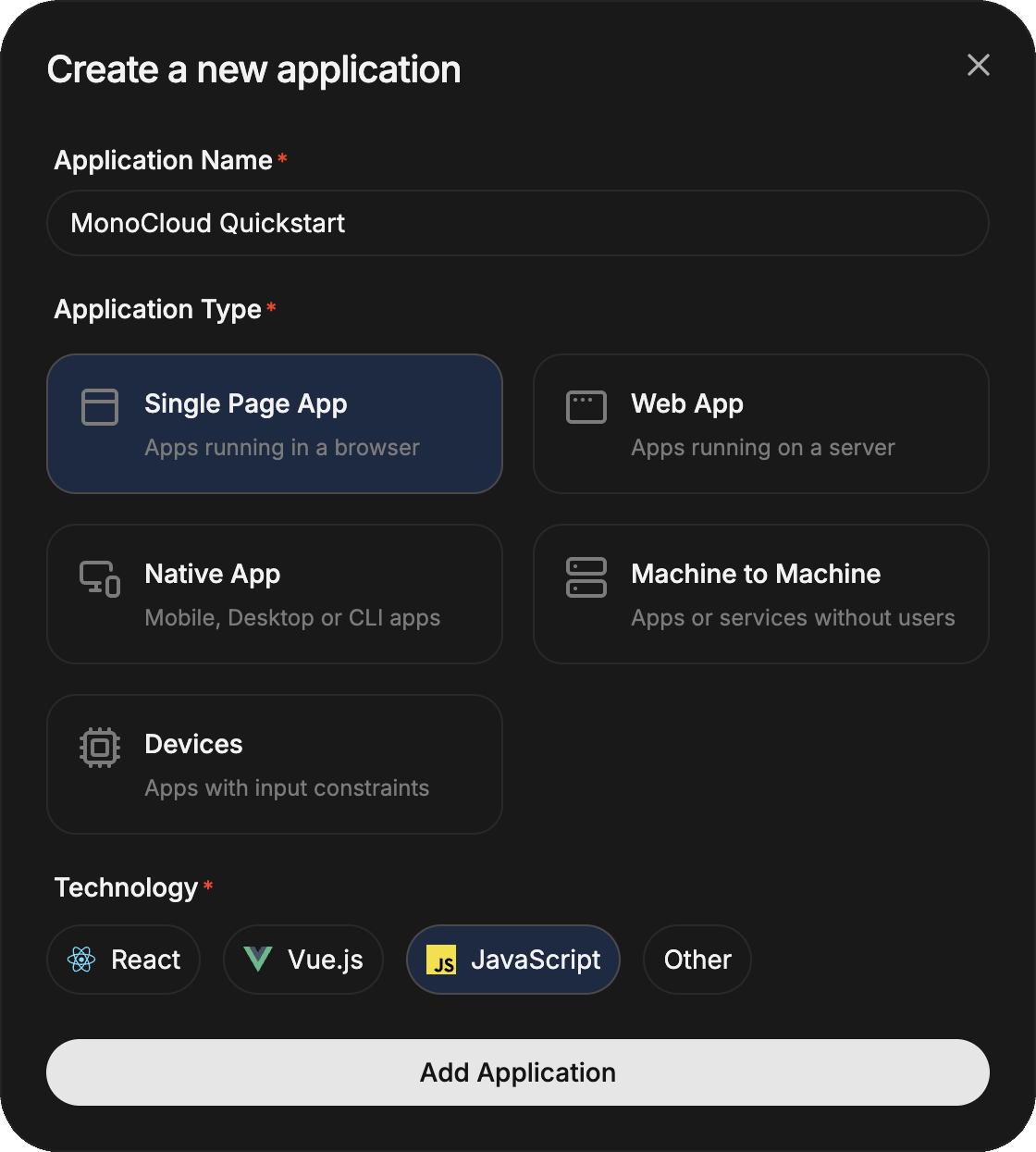
In the [MonoCloud Dashboard](https://dashboard.monocloud.com/):
1. Click **Add Application**
1. Select **Single Page App**
1. Choose **JavaScript**
1. Create the application
Each Single Page App represents a single browser-based app secured by MonoCloud.
## Configuring your Single Page App [#configuring-your-single-page-app]
Open your application and configure the following URLs.
### Redirect URLs [#redirect-urls]
These URLs tell MonoCloud where to redirect users after authentication events.
For local development with the Vite default port, configure:
- **Callback URLs:** `http://localhost:5173`
- **Sign-out URLs:** `http://localhost:5173`
### Cross-Origin URLs [#cross-origin-urls]
A single-page app calls MonoCloud's endpoints directly from the browser, so the origin your app is served from must be allowed:
- **Cross-Origin URLs:** `http://localhost:5173`
> Replace these with your production URLs before deployment.
## Create a Vite + TypeScript project [#create-a-vite--typescript-project]
If you already have a project, skip this step.
```npm title="Terminal"
npm create vite@latest -- --template vanilla-ts
cd
```
Node.js 18 or later is recommended.
## Install the MonoCloud JavaScript SDK [#install-the-monocloud-javascript-sdk]
Install the SDK using your package manager:
```npm title="Terminal"
npm install @monocloud/auth-web-js
```
## Initialize the client [#initialize-the-client]
Create a single shared `MonoCloudWebJSClient` instance and export it. The same instance is reused everywhere you need to read the session, sign users in, or get tokens.
```ts title="src/auth.ts"
import {
MonoCloudWebJSClient,
type MonoCloudWebJSClientOptions,
} from "@monocloud/auth-web-js";
const options: MonoCloudWebJSClientOptions = {
tenantDomain: "https://",
clientId: ""
};
export const client = new MonoCloudWebJSClient(options);
```
### Configuration reference [#configuration-reference]
| Option | Required | Description |
| --------------------- | -------- | ------------------------------------------------------------------------------------------ |
| `tenantDomain` | Yes | MonoCloud tenant domain from **Application Information** in the Dashboard |
| `clientId` | Yes | Client ID from **Application Information** in the Dashboard |
## Process callbacks on page load [#process-callbacks-on-page-load]
The SDK needs to complete sign-in and sign-out flows before your UI renders. Call `processCallback()` once on startup - it inspects the current URL and completes whichever flow is pending:
```ts title="src/main.ts"
import { client } from "./auth";
await client.processCallback();
```
> For full details on routing, return URLs, and integrating with a client-side router, see [Handle sign-in and sign-out callbacks](/docs/sdks/web-js/handle-callbacks).
## Next steps [#next-steps]
Wire up the rest of the integration:
- [Handle sign-in and sign-out callbacks](/docs/sdks/web-js/handle-callbacks)
- [Refresh the session](/docs/sdks/web-js/refresh-session)
- [Sign-in and out with popups](/docs/sdks/web-js/popup-mode)
- [Use a custom storage](/docs/sdks/web-js/custom-storage)