Mutual TLS
Secure every token with certificate-bound trust
Issue access tokens that only the verified certificate holder can use. MonoCloud verifies client identity at the connection level, using your existing PKI — so only cryptographically proven clients can obtain and use tokens.
Client Identity Assurance
Make stolen tokens unusable
MonoCloud binds access tokens to verified client certificates so possession of a token alone is never enough.
Bound to the certificate
Tokens carry proof that links them to the authenticated client certificate — possession alone is never enough.
Replay-resistant by design
A copied token cannot be reused from another client, device, or workload.
Stronger client identity
APIs can verify the certificate-backed client presenting the token.
Works across OAuth flows
Certificate-bound tokens beyond machine-to-machine, including device and interactive flows.
Built on open standards
Based on OAuth 2.0 Mutual-TLS client authentication and certificate-bound access tokens.
How mTLS works on MonoCloud
From handshake to bound token
Connect with a certificate
The client opens an mTLS connection to MonoCloud and authenticates with its certificate.
Live chain validation
MonoCloud validates the chain against your truststore and checks revocation live.
Bind the token
MonoCloud issues an access token cryptographically bound to that certificate — the cnf claim.
Call your APIs
The client calls your APIs over mTLS, presenting the bound token.
Copied tokens fail
The API verifies the token matches the presented certificate — so a copied token fails.
Custom Truststores
Bring your own PKI
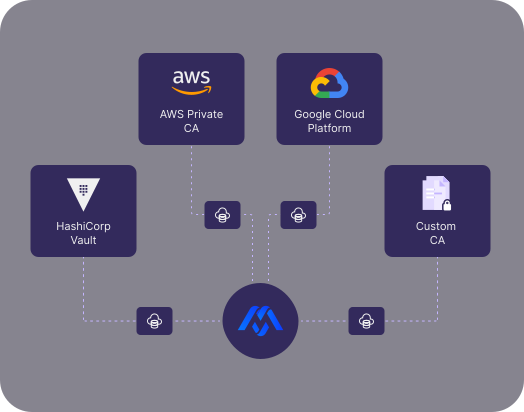
Use AWS Private CA, Google Cloud, HashiCorp Vault, or your own online or offline PKI as the source of trust for mTLS in MonoCloud.
Trust certificates from managed cloud CAs, Vault-backed issuers, or your internal certificate authority.
Connect live certificate infrastructure where available, or upload issuer chains and CRLs for offline and air-gapped environments.
Use the same truststore for client authentication, certificate-bound tokens, and protected API access.
Certificate Revocation
Revoke once. Block everywhere.
When a certificate is compromised, MonoCloud lets you revoke trust centrally — before the client can receive or use another token.
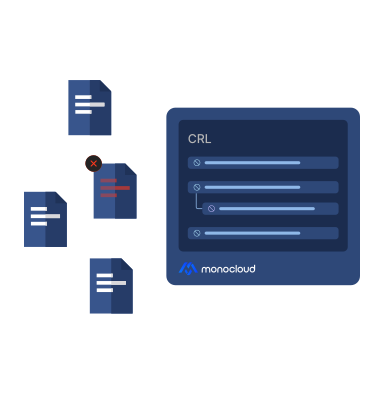
Revoke with CRLs
Validate certificates against uploaded or connected revocation lists, with cache windows you control.
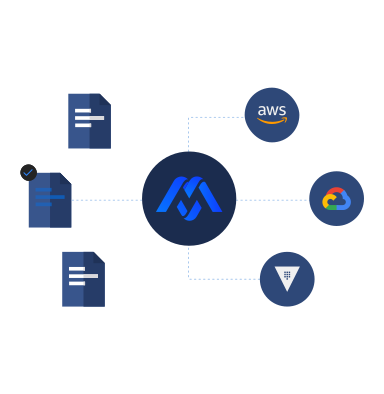
Check certificate status live
Query your OCSP responder during validation to get fresh certificate status before issuing tokens or allowing access.
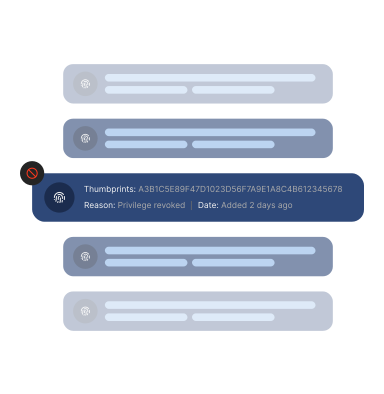
Block certificates locally
Use uploaded revocation data and deny lists when online checks are unavailable or intentionally disabled.
Policy Controls
Configure certificate validation per truststore
Match mTLS validation to your security posture — from revocation depth and key usage checks to cache windows, OCSP timeouts, and clock-skew tolerance.
Mutual TLS, answered
FAQs, answered
Everything teams ask before binding tokens to certificates. Straight answers, no ceremony.
What is Mutual TLS?
Mutual TLS, or mTLS, is a certificate-based authentication method where both sides of a connection verify each other. The server proves its identity to the client, and the client proves its identity to the server.
How does MonoCloud use mTLS?
MonoCloud uses mTLS to authenticate clients with certificates, issue certificate-bound access tokens, and enforce truststore policies during OAuth flows.
Does mTLS replace OAuth or OpenID Connect?
No. mTLS strengthens OAuth by adding certificate-based client authentication and certificate-bound tokens. OAuth and OpenID Connect still handle flows, scopes, audiences, consent, and user identity.
Can I use my own certificate authority?
Yes. You can use AWS Private CA, Google Cloud CA, HashiCorp Vault, or any other online or offline PKI as the source of trust.
What happens if a certificate is compromised?
You can revoke trust using CRLs, OCSP, or local deny lists. MonoCloud enforces revocation based on your truststore configuration.
Does mTLS only work for machine-to-machine?
No. mTLS is commonly used for machine-to-machine access, but it can also be used with supported OAuth flows where client certificate authentication and certificate-bound tokens are required.
Make stolen tokens useless, on the PKI you already trust
Book a demo, or start free today.